5. Correcting predictions
Expect rough predictions: the model learned from one frame. Correcting them is how it improves. This loop of predict, correct and retrain is the core of SLEAP: each model makes better predictions, so each round needs fewer corrections.
First, save a new version with File ▸ Save As… (Cmd+Shift+S /
Ctrl+Shift+S). It suggests the next name, labels.v002.slp, so you keep
the earlier version.
Correct
In the Suggestions panel, frames with a Mean Score have predictions. On a few of them:
- Accept the predictions: double-click a predicted instance, or press Cmd+Shift+A / Ctrl+Shift+A for every one on the frame.
- Drag any nodes that are off.
Predicted nodes are yellow. An accepted node is red until you touch it, then green, so you can see which nodes you've checked. Leaving a correct node red is fine: an accepted instance counts as your label either way.
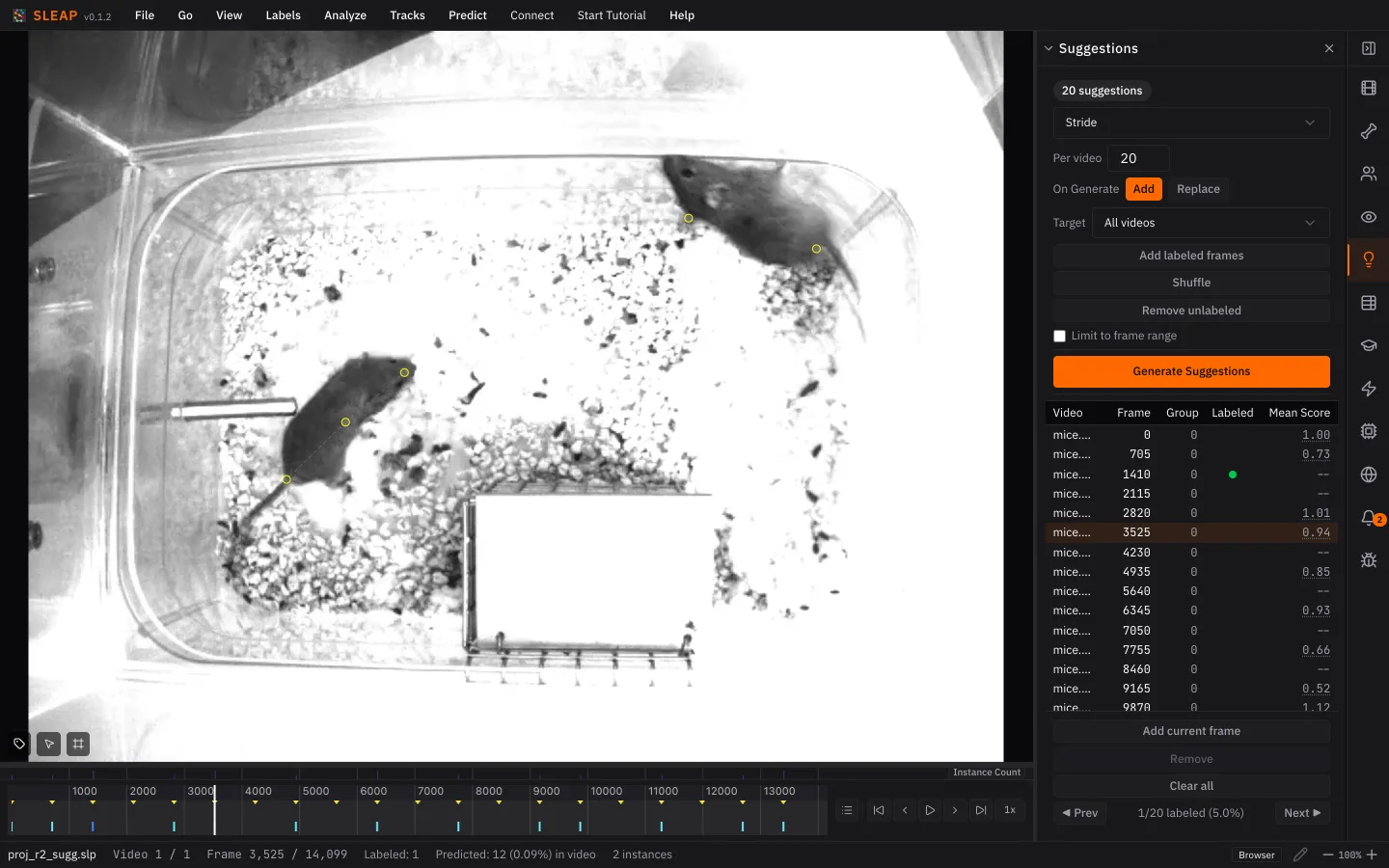
While you correct:
- Label every mouse on the frame, even one the model missed: add it with Cmd+I / Ctrl+I. A frame with a missing animal teaches the model that the animal isn't there.
- Don't guess hidden parts. If you can't see a body part, mark it non-visible (hover over the node and press V). A guessed point teaches the model to be confident where it shouldn't be.
- Check nodes predicted as non-visible. The model sometimes gets this wrong. Press V over the node to mark it visible again, then place it.
Correct at least two frames, then save. The more you correct, the better the next model.
On a real project
Aim for 15–20 labeled frames before you retrain. Click the Mean Score column to sort by it, and correct frames from both ends: low scores are where the model struggles, and high scores can hide confident mistakes.
Retrain
- In the Training panel, click Train Again.
- Keep the same settings, but raise Max Epochs to 50.
- Click Start Training.
You don't have to wait for all 50 epochs: Stop Early keeps what's been trained so far (click it once per model).
Repeat this correct-and-retrain loop until predictions rarely need fixing.
Next up: Tracking a new video