8. Exporting the results
A .slp file holds everything in your project: labels, predictions, tracks,
and the paths to your videos. That makes it the right format to keep working
in, but not to analyze: reading it takes SLEAP's tools. For analysis, export the
proofread poses to a plain format.
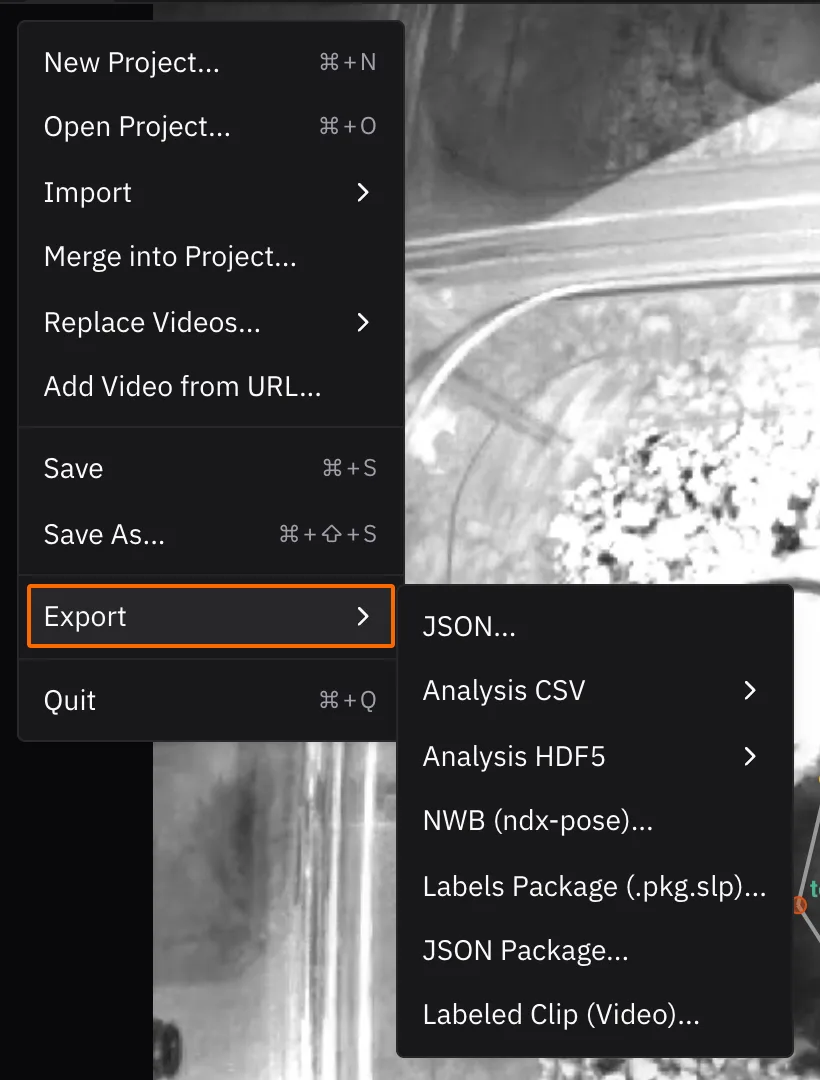
| Export | Menu | Gives you | Use it with |
|---|---|---|---|
| Analysis CSV | File ▸ Export ▸ Analysis CSV ▸ Current Video… | One row per animal per frame, with each node's x, y and score | Spreadsheets, pandas, R |
| Analysis HDF5 | File ▸ Export ▸ Analysis HDF5 ▸ Current Video… | The same data as arrays, in SLEAP's .h5 layout |
MATLAB, NumPy |
| NWB | File ▸ Export ▸ NWB (ndx-pose)… (desktop) | Poses in the Neurodata Without Borders standard | Sharing and archiving |
| Labeled clip | File ▸ Export ▸ Labeled Clip (Video)… | An MP4 with the poses drawn on | Talks and figures |
Each analysis export also has All Videos…, for projects with several videos.
Sharing your data
NWB is the most portable choice: it's a standard for neuroscience data, and NWB files can be shared for free on the DANDI Archive.
Reading poses in Python
You can also skip the export and read the .slp directly with
sleap-io (pip install sleap-io):
import sleap_io as sio

labels = sio.load_slp("labels.v003.slp")
poses = labels.numpy()  # shape: (frames, tracks, nodes, 2), NaN where missing

print([node.name for node in labels.skeleton.nodes])  # ['head', 'torso', 'tailbase']
print([track.name for track in labels.tracks])        # ['track_0', 'track_1']
sleap-io also converts between formats, such as COCO and DeepLabCut. See its formats documentation and the File Formats reference.
Next up: What's next